
The Evolution of Home Security Cameras
Home security cameras have come a long way from their inception. Initially, they were large, cumbersome devices that required extensive wiring and professional installation. These early models were not only expensive but also required significant expertise to set up and maintain. However, with the advent of wireless technology and smartphones, these cameras have become more compact and easier to install. Today's systems are much more advanced, featuring high-definition video quality, night vision, and even the capability to detect motion and sound. The integration of artificial intelligence has further enhanced their functionality, allowing for features such as facial recognition and suspicious activity alerts.
Types of Home Cameras
There are several types of home cameras available today, each with its unique features and benefits:
-
Wired Security Cameras: These cameras are connected to a recording device through cables. They offer reliable video quality but can be challenging to install due to the need for extensive wiring. Wired systems are often preferred in situations where a stable and uninterrupted connection is critical. They are less susceptible to interference and can provide consistent performance over long periods.
-
Wireless Security Cameras: These cameras use Wi-Fi or other wireless technologies to transmit video footage. They are easy to install and can be placed anywhere within the range of the wireless signal. This flexibility makes them a popular choice for homeowners who want the ability to move and adjust their cameras as needed. However, it's important to ensure a secure and strong Wi-Fi network to prevent connectivity issues or unauthorized access.
-
Battery-Powered Cameras: Ideal for locations without power outlets, these cameras run on batteries and can be placed anywhere. This feature is particularly useful for monitoring remote areas of your property, such as gardens or sheds. Battery life can vary between models, so it’s crucial to check the specifications and choose a camera that meets your needs for frequency of use and ease of battery replacement.
-
Smart Cameras: These are integrated with smart home systems and can be controlled via smartphones or voice assistants. They offer a seamless experience for users already invested in smart home technology, allowing for centralized control and automation. Features can include integration with home lighting systems, smart locks, and even thermostats, enhancing both security and energy efficiency.
Key Features to Consider
When choosing a home surveillance system, it's essential to consider several key features:
- Resolution: Higher resolution cameras provide clearer images. A minimum of 1080p is recommended for clear and detailed video footage, which is particularly important for identifying faces and license plates.
- Night Vision: Essential for monitoring your home during nighttime. Infrared LEDs or other low-light technologies can ensure that your cameras provide usable footage regardless of the lighting conditions.
- Field of View: Determines how much area the camera can cover. A wider field of view can reduce the number of cameras needed to cover a property, but may also come with trade-offs in terms of image distortion or resolution.
- Motion Detection: Alerts you when movement is detected within the camera's range. Advanced systems can differentiate between different types of movement, reducing false alarms and ensuring that you are only alerted to genuine threats.
- Two-Way Audio: Allows you to communicate through the camera. This feature can be used to deter intruders by letting them know they are being watched, or to communicate with family members or visitors remotely.
Benefits of Wireless Home Security Cameras
Wireless home security cameras offer numerous advantages over their wired counterparts:
- Easy Installation: No need for drilling holes or running cables through walls. This makes them an excellent choice for renters or those looking to avoid permanent alterations to their property.
- Flexibility: Can be easily moved and repositioned as needed. This adaptability allows homeowners to adjust their security setup as their needs change, such as when moving to a new home or reconfiguring their living space.
- Remote Access: Monitor your home from anywhere using your smartphone or computer. This capability ensures that you can keep an eye on your property even when you are far away, offering reassurance during vacations or business trips.
Statistics on Home Surveillance System Usage
Here's a table showcasing some statistics on the adoption and effectiveness of home surveillance systems:
| Statistic | Percentage/Number |
|---|---|
| Homes with security systems | 38% |
| Reduction in burglary rates due to surveillance | 60% |
| Homeowners who use mobile apps for monitoring | 52% |
Source: Statista
Choosing the Right System for Your Needs
Selecting the right home surveillance system involves evaluating your specific needs:
- Budget: Determine how much you're willing to spend on a security system. Prices can vary significantly depending on the complexity and features of the system, so it's important to weigh the costs against the benefits to find a solution that offers good value.
- Coverage Area: Consider how many areas you want to monitor. Larger properties may require multiple cameras to ensure complete coverage, while smaller homes might only need a couple of strategically placed devices.
- Integration Needs: Decide if you want a system that integrates with other smart home devices. Systems that offer compatibility with other smart home products can provide added convenience and efficiency, allowing for automated routines and centralized control.
Installation Tips
Installing your home security cameras correctly is crucial for optimal performance:
- Ensure cameras are placed at entry points like doors and windows. These are the most common access points for intruders, so securing them is a top priority.
- Position them high enough to avoid tampering but low enough for clear visibility. This balance helps prevent vandalism while ensuring that the cameras capture useful footage.
- Test your system regularly to ensure it's working correctly. Regular maintenance checks can help identify and resolve issues before they compromise your security.
Cameras That You Can See on Your Phone
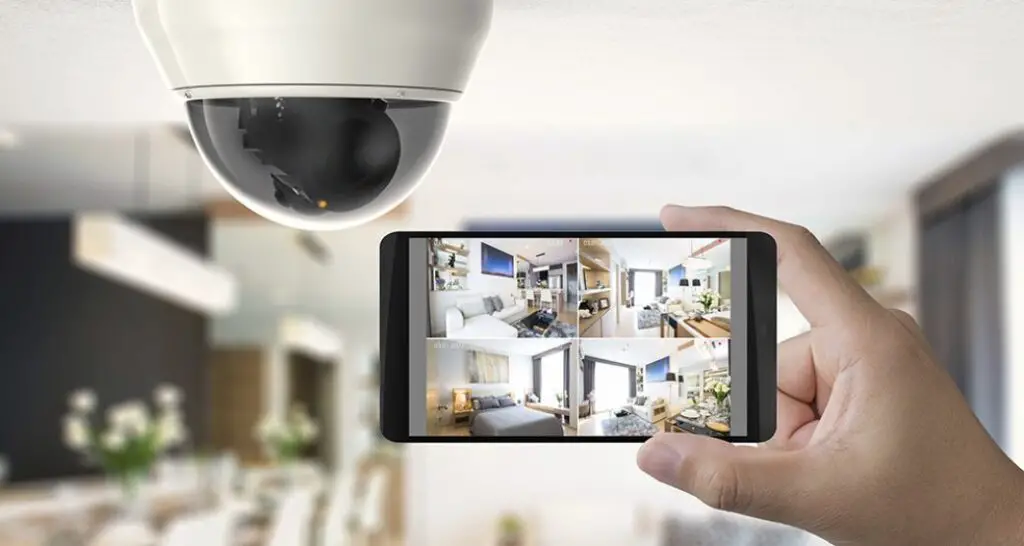
One of the most significant advancements in home surveillance is the ability to view live footage on your phone. This feature provides real-time updates and alerts, ensuring you're always aware of what's happening at your property. The convenience of mobile monitoring cannot be underestimated, as it allows for immediate responses to potential security breaches.
Popular Apps for Monitoring
Several apps allow you to monitor your security cameras from your phone:
- Nest App: Known for its user-friendly interface and compatibility with other Google Nest products, it offers features like person alerts and the ability to create activity zones.
- Ring App: Offers real-time notifications and video feeds, with options for community alerts and integration with other Ring devices, such as doorbells and alarm systems.
- Arlo App: Provides customizable settings for notifications and recording schedules, and supports integration with Alexa and Google Assistant for voice control.
- Wyze App: A budget-friendly option that doesn't skimp on features, offering free cloud storage for video clips and compatibility with other smart home ecosystems.
These apps offer features such as live streaming, motion alerts, and two-way communication, making them invaluable tools for maintaining the security of your home.
Q&A
What is the best location for installing security cameras?
The best locations include entry points such as front doors, back doors, first-floor windows, garages, driveways, and stairways leading up from basements. These areas are typically the most vulnerable to unauthorized access, and securing them can significantly reduce the risk of break-ins.
How do wireless security cameras work?
Wireless security cameras transmit video signals over Wi-Fi networks instead of using cables. They require a power source but offer flexible placement options compared to wired systems. This wireless capability allows for easier installation and greater adaptability in how and where cameras can be used.
Can I access my security camera footage remotely?
Yes! Most modern systems allow remote access via mobile apps or web browsers so you can view live feeds or recorded videos anytime from anywhere in the world! This feature provides peace of mind by ensuring you can keep tabs on your property regardless of your physical location.
References:
- https://www.backstreet-surveillance.com/security-cameras-made-simple-a-diy-guide/system-components.html
- https://ecam.com/security-blog/define-surveillance-camera-a-complete-guide
- https://getsafeandsound.com/blog/cctv-camera-installation-materials-list/
- https://www.deepsentinel.com/blogs/poe-camera-technology-explained/
- https://en.wikipedia.org/wiki/Home_security